
Most electronics shops actually serve two businesses under one roof, and their customers search in completely different ways.
The first is the decided buyer. They've spent evenings reading reviews and comparing specs, and they know exactly which headphones or laptop they want. They're not browsing. They want a nearby store that has it today.
The second is the repair emergency. Their phone hit the pavement an hour ago, the screen is a spiderweb and they need it fixed now. They aren't comparing models. They want someone close, trustworthy and quick.
A profile written for "electronics" in general serves neither of them well. Here's how to speak to each, then the foundation both rely on.
Lane one: the decided buyer
How they search
Research happens first, at home. The local search comes last and is very specific:
- 1Compares models online
- 2Searches for a store nearby
- 3Checks the brand is carried
- 4Skims reviews
- 5Drives over to buy
By the time they search for you, they're ready to spend. The question is only whether they believe you have what they want.
What wins them
Name brands and categories plainly. "Electronics store" matches very few searches. Brand and product names match many. List what you carry, line by line:
- Phones from the brands you stock, such as Apple, Samsung and Google
- Laptops and tablets by brand
- TVs and home theater gear
- Headphones, speakers and wireless audio
- Gaming consoles, controllers and accessories
- Smart home devices
- Cameras
- Chargers, cables, cases and power banks
Show the shelves. A photo of a well-stocked phone wall with recognizable brands tells a buyer more in two seconds than a paragraph can. Shoot the phone and laptop sections, the audio wall, the TV area and the storefront. Update the photos when new product lines arrive.
Make it easy to check stock. Mention whether customers can call ahead to confirm an item, reserve it or order online for in-store pickup, if you offer that. A decided buyer hates driving over to find it sold out.
Lane two: the repair emergency
How they search
There's no research phase here. It goes:
- 1Device breaks
- 2Searches the exact repair
- 3Checks how fast and how much
- 4Reads a review or two
- 5Walks in
They search the specific problem: "phone screen repair near me," "laptop battery replacement," "water damaged phone fix." If those words aren't on your profile, you usually won't show up, even if repairs are half your business.
What wins them
List every repair, one by one. Phone screen replacement. Battery replacement. Charging port repair. Water damage. Laptop screen replacement. Data recovery. Console repair. Software and virus cleanup. Each is a separate search.
Give a turnaround time where you can. "Most phone screens replaced same day" removes the biggest worry an urgent customer has. Only say it if it's usually true.
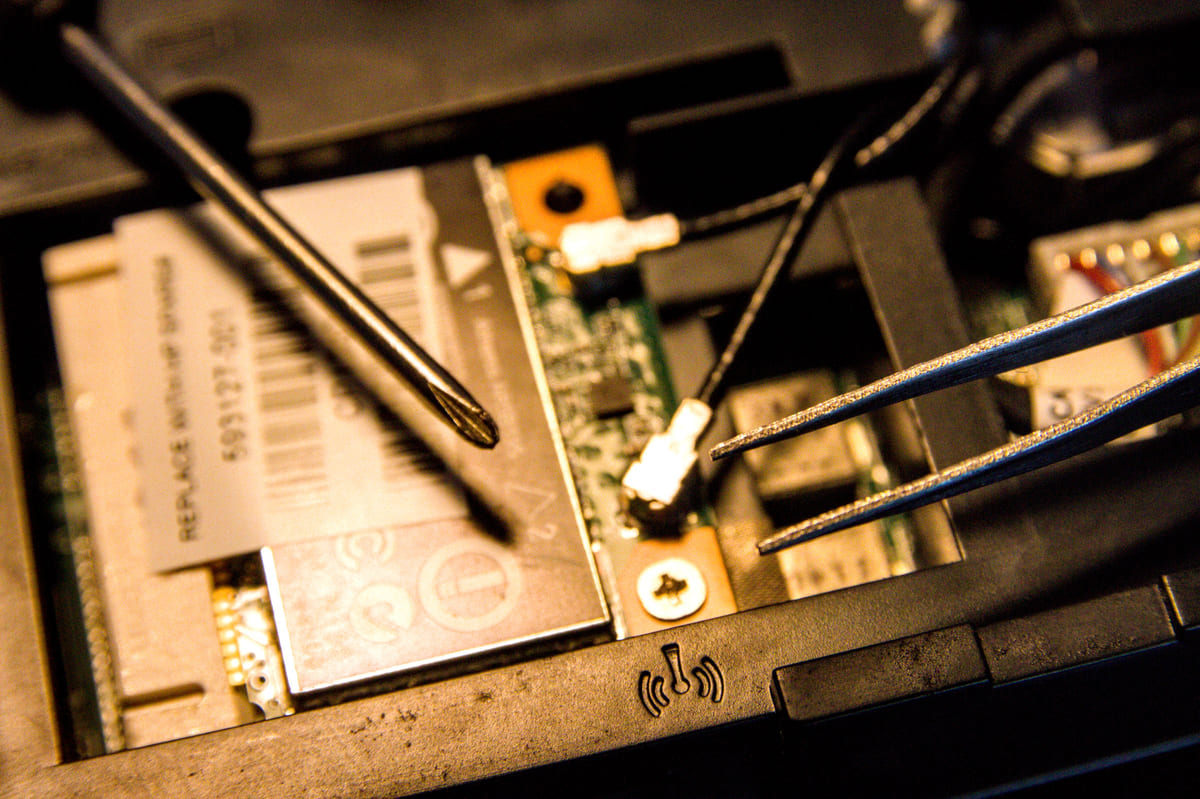
Show the repair counter. A clean, well-equipped bench signals that you know what you're doing.
Reviews that answer the silent question
Each lane reads reviews for something different. Buyers want to know prices were fair and the product was genuine. Repair customers want to know it was fixed quickly and stayed fixed. A review that says "screen replaced in about an hour, fair price, works perfectly" is gold.
The best time to ask is the moment of relief, when a repair customer turns their phone on and it works, or when a buyer walks out with the thing they came for.
Reply to every review, especially complaints about a repair. Offer to take another look; it shows you stand behind the work. These review habits and this guide to negative reviews can help.
The foundation both lanes share
Whichever lane brings them, every customer finds you through the same basic profiles:
- Your store name, written identically on every platform
- The full address, with parking information
- A phone number that taps to call
- Hours for every day, including evenings and weekends
- Product categories and brands, named individually
- Every repair service, with typical turnaround
- At least eight photos of displays, the repair counter and the storefront
On Google, choose "Electronics store" as the main category, and add "Cell phone repair shop" or "Computer repair service" as secondary categories if you do that work. Then add your shop to Listings Junkie and the platforms in our list of directories worth claiming.
Keep your name, address and phone identical on every one. A store name spelled two ways or an old phone number on a forgotten profile weakens how confident search engines are about you. This guide on matching your details explains how to fix it.
Why each customer is worth the effort
Electronics customers rarely buy just once. The buyer who picked up a laptop comes back for a case, a mouse and eventually a battery or a screen. The repair customer who was helped quickly comes back when they're ready to upgrade. Win them once through search and many become regulars. Our guide to ranking in "near me" searches explains how to stay in front of them.
Questions tech shop owners ask
Should I post repair prices?
If you're comfortable with it, a "starting at" price for common jobs like screen and battery replacements, with a note that it depends on the model, helps urgent customers decide quickly. If prices vary too much, say that you give free quotes on the spot.
Do I need a separate profile for repairs?
Usually not, if repairs happen at the same location under the same name. Use one profile with both the store and repair categories, and list every repair as a service. Separate profiles for the same address can look like duplicates.
What about trade-ins and refurbished devices?
If you buy, sell or trade in used devices, say so. People search for refurbished phones and trade-in offers, and many shops never mention them.
How often should I update photos?
Whenever displays change or a big new product lands, plus a couple of fresh shots each month. Old photos of last year's models make a shop look stale.
This week's plan
Write two lists.
Every brand and category you sell, and every repair you do.
Put both on your profiles.
Google first, then Listings Junkie and your other directories.
Add the right categories.
"Electronics store" plus any repair categories that fit.
Reshoot your photos.
Shelves, repair counter and storefront.
Ask for reviews at the counter.
Especially after repairs, when customers are most grateful.
Check your details everywhere.
Name, address and phone, identical on every site.
For the longer-term picture, read local SEO for small businesses. Serve both lanes clearly, and you'll catch the decided buyers and the cracked screens alike.
List your business for free
Create a verified listing on Listings Junkie and give the customers in your area one more place to find your business name, address, phone and website.