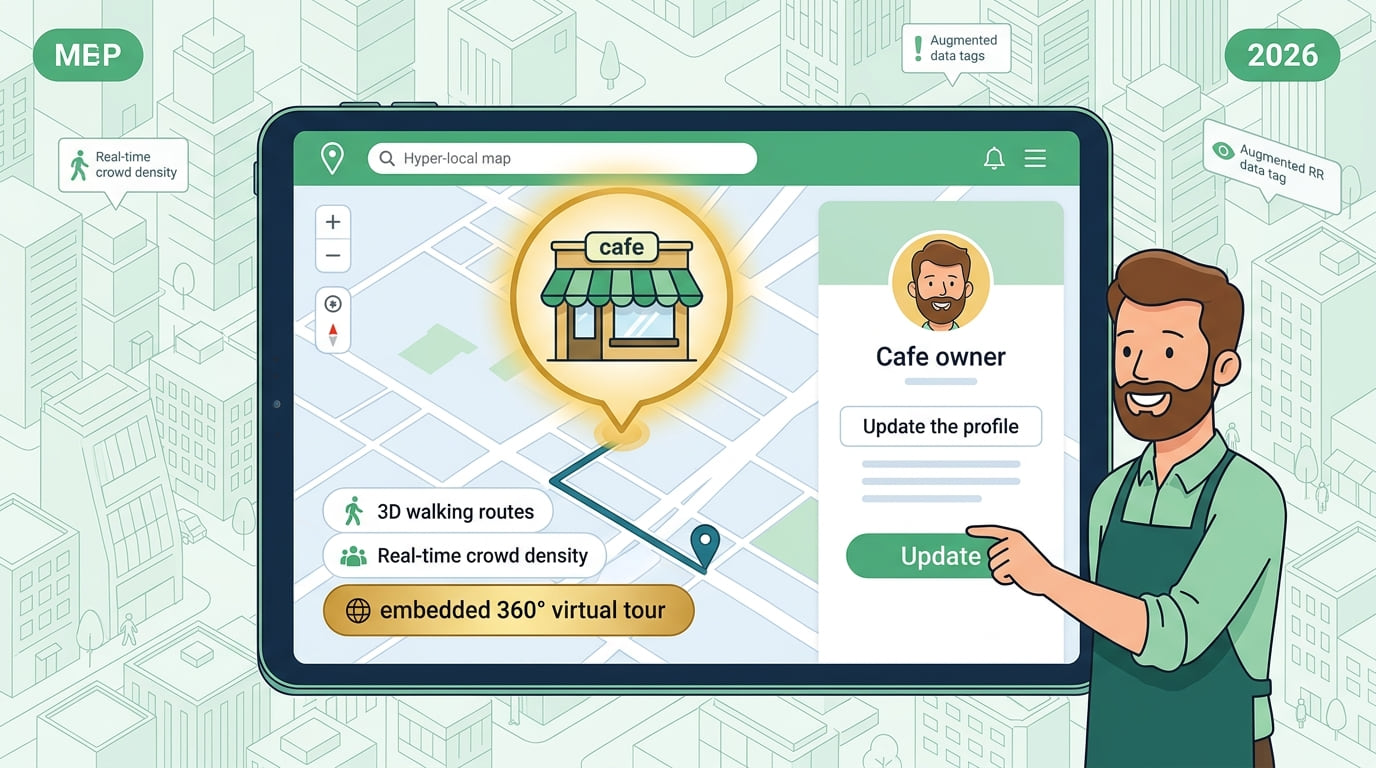
Cafes get more customers online than through any other free marketing channel available in 2026. If your cafe seats sit empty during off-peak hours, the problem is rarely your coffee or your atmosphere. The problem is visibility. Customers searching for a cafe nearby simply cannot find you. This guide shows you exactly how to fix that — completely free — starting today.
Cafes benefit from some of the highest-frequency customer searches in local SEO. People search for a cafe multiple times per week. Strong online visibility means a steady and predictable flow of new customers walking through your door every single day.
How a New Cafe Customer Finds You Online
Most cafe customers decide where to go based on what they find online first. They search on their phones while already nearby — which means they are ready to visit within minutes of finding you. As explained in how to rank for near me searches and get more local customers, businesses appearing at the top of local searches win the majority of walk-in traffic in their area.
- 1Wants coffee
- 2Searches "cafe near me"
- 3Checks photos
- 4Reads reviews
- 5Walks straight in
The cafe appearing first with great photos and strong reviews wins that customer every single time. Appearing in the top 3 results means your cafe captures the customers every competitor is missing — without spending a single dollar on advertising.
Create Your Free Business Listing — The Fastest Customer Driver
The fastest way for cafes to get more customers online is creating a free business listing. It costs nothing. Once live, it works around the clock generating customer visits without any ongoing effort from you.
Start by adding your cafe to Listings Junkie — a free USA business directory connecting local customers with cafes and food businesses in their area. Claim your Google Business Profile and complete every field without skipping anything. Then work through the 10 best business listing sites in 2026 and get your cafe listed on every relevant platform. Each listing builds a citation that strengthens your Google ranking — pushing you higher in local coffee searches every single month.
What Your Cafe Listing Must Include
- Exact cafe name — same everywhere online
- Full address with clear directions
- Phone number — click-to-call on mobile
- Opening hours — precise, including weekends
- Menu highlights — signature drinks and food
- Price range
- WiFi availability — stated explicitly
- At least 10 high-quality photos
Make sure your cafe name, address, and phone number match exactly everywhere online. As explained in why NAP consistency matters for local rankings, inconsistency directly reduces your Google visibility and costs you customers every day.
Photos Fill Cafe Seats Faster Than Any Ad
For cafes, photos are everything. Customers choose a cafe based on atmosphere and aesthetics before they ever taste the coffee. A listing with stunning latte art photos and cozy interior shots consistently wins more visits than any listing with no images.
Photos That Drive Cafe Visits
- Signature drinks — latte art, cold brew, specialty
- Interior seating — cozy, inviting atmosphere
- Food items — pastries, cakes, breakfast menu
- Exterior — so customers recognize you on arrival
- Work-friendly spaces — if you have good WiFi
- Morning light or evening atmosphere shots
Add at least 10 photos to every major listing and update them regularly. Fresh images signal to Google that your cafe is active — and active listings rank higher in local search results consistently.
Optimize for Morning Searches — Your Biggest Opportunity
The majority of cafe searches happen between 7am and 10am when commuters need coffee. "Cafe open now near me" is one of the most time-sensitive searches in local SEO. Accurate opening hours on every listing are critical for converting morning searches into paying customers.
Set your exact opening time precisely. If you open at 6:30am, say 6:30am — not 7am. Customers searching for early morning coffee find you first instead of a competitor who listed imprecise hours. This single detail can mean the difference between a new regular customer and a lost sale every morning.
Set your hours accurately for every day. Use Google Business Profile's "Special hours" feature to mark any holiday closures or extended weekend hours. Customers searching "cafe near me open now" see your cafe as available — and walk straight through your door.
Reviews Drive Consistent Cafe Growth
Reviews are one of the strongest ranking signals for cafes in local search. Google shows cafes with more positive reviews above those with fewer — even when everything else is equal. Reviews are essential for cafe growth, not optional.
Most happy customers agree immediately when asked in person and given a direct link. As shown in how to get 5-star reviews that bring more customers, cafes that actively collect reviews consistently outrank those waiting for reviews to appear organically. Respond to every review professionally — as covered in how to respond to negative reviews professionally, your responses build trust with every potential customer who reads them.
Capture the Searches Beyond "Cafe Near Me"
Beyond daily coffee searches, cafes attract customers through specific search types that most competitors never optimize for. Targeting these opens entirely new streams of customer visits.
- Study and work searches ("cafe with wifi near me"): Remote workers and students search specifically for cafes with good wifi and workspace. Mention this explicitly in your description.
- Weekend brunch searches ("brunch cafe near me"): Weekend brunch traffic is high-value and predictable. If you serve brunch, mention it clearly in your listing and GBP categories.
- Specialty coffee searches ("specialty coffee near me"): Specialty coffee drinkers search specifically. If you serve pour-over, cold brew, or single-origin, say so in your description.
- Outdoor seating searches ("cafe with outdoor seating"): Customers specifically search for outdoor options on good weather days. Mention your patio, garden or sidewalk seating in your listing.
Phrases That Unlock More Search Visibility
Include these naturally in your listing description and Google Business Profile to capture customers searching for specific cafe experiences:
- "perfect for studying"
- "cozy weekend brunch"
- "great place to work remotely"
- "free fast WiFi"
- "specialty coffee"
- "outdoor seating available"
Your Complete Cafe Customer Growth Plan — Start Right Now
Cafes get more customers online every single day — but only those with a strong, complete, and actively maintained online presence. Building that presence takes less than one hour and costs absolutely nothing.
- Create your free listing on Listings Junkie: Add your cafe here — under 10 minutes, approved fast, zero cost.
- Claim and complete your Google Business Profile: Choose "Cafe" or "Coffee Shop" as your specific category. Set your exact opening time — not a rounded hour. Include WiFi and seating type in your description.
- Add 10 photos of your cafe today: Signature drinks, interior atmosphere, food items, exterior. Take them during your busiest morning service when the cafe looks its best.
- Ask your next 5 customers for a review: Use the script above. Send the direct link before they leave. Ask in person — not via a sign or receipt.
- Add your specialty searches to your description: WiFi, outdoor seating, brunch, specialty coffee — whichever applies. These unlock searches your competitors never appear for.
- Fix your NAP consistency everywhere: Search your cafe name and verify your details match identically across every platform. Fix any discrepancies before building new listings.
Within 30 to 60 days your cafe will rank higher in local search results — bringing new customers who were already searching for the perfect cafe in your area, every single day. As shown in how listing your business drives real growth, cafes that build their online presence consistently always grow their customer base regardless of competition.
List your business for free
Create a verified listing on Listings Junkie and give the customers in your area one more place to find your business name, address, phone and website.